
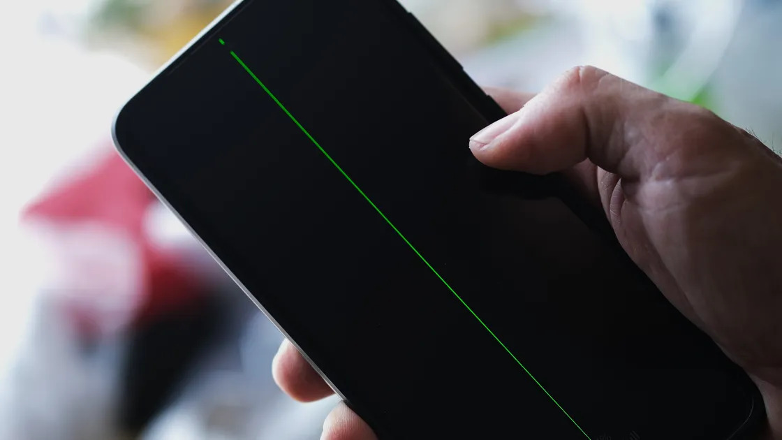
The Samsung “green / Pink line” issue is fundamentally a hardware defect, usually caused by a damaged display flex cable or a loose connection between the AMOLED screen and the motherboard.
This is often triggered or worsened by overheating, physical drops, or the heat generated during software updates.
While the line manifests suddenly, it is typically triggered by specific physical or system stresses.
The primary root causes include:
Overheating: Heavy usage (like gaming) or charging under poor ventilation causes internal heat. This heat can weaken the solder on internal display connections or cause the physical ribbon cable to separate from the motherboard.
Software Updates: While a software update does not inherently damage a screen, the intensive processor workload required to install and optimize major updates can push an aging device to extreme temperatures. This heat then triggers pre-existing hardware flaws.
Physical Wear and Tear: Accidental drops, physical bending, or heavy pressure on the screen can cause micro-fractures on the AMOLED panel or damage the display flex cable.
Water Damage: Liquid exposure can cause internal corrosion, shorting out the delicate display ribbon lines.
What You Can Do when your screen is having ‘Green / Pink’ Line issues
Before paying for a screen replacement, it is worth running a few basic diagnostic steps to rule out a software bug:
Restart your phone: A simple reboot can resolve temporary system glitches.
Take a screenshot: If the green line is not visible in the screenshot image, your display hardware is at fault. If the line does appear in the screenshot, it is a software or GPU rendering bug.
Change display settings: Some users have temporarily minimized or eliminated lines by changing their display refresh rate from Adaptive to Standard.
Boot into Safe Mode: This temporarily disables third-party apps to see if a downloaded application is causing display artifacts.
Because this defect typically points to damaged components, you will most likely need to take the device to an Lite Mobile Service Center to have the display panel replaced.
Depending on your device’s model and location, you can connect with us for an appointment to reserve the stock before you head down to any Lite Mobile Service centres.
Visit Us at Any Lite Mobile Service Centre
📍Boon Lay Repair — 176 Boon Lay Drive, #01-356, Singapore 640176
📍Boon Lay — 221 Boon Lay Place, Boon Lay Shopping Centre, #01-168, Singapore 640221
📍Jurong East — Blk 135 Jurong Gateway Road, #01-329, Singapore 600135
📍Boon Keng — 25 Bendemeer Road, #01-575, Singapore 330025
📍Bishan — 282 Bishan Street 22, #01-113, Singapore 570282
📍Simei — 248 Simei Street 3, #01-128, Singapore 520248
📍Sengkang — 339A Anchorvale Road, #B1-12, Anchorvale Village, Singapore 540339
💬 WhatsApp: +65 8818 6844