
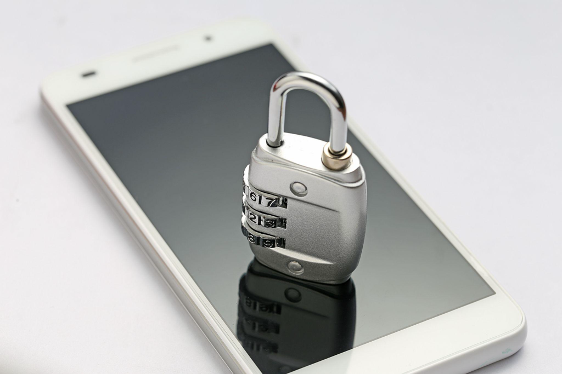
So you’ve just upgraded to a new phone and you’re ready to sell or trade in your old one. You’ve transferred your photos, logged out of a few apps and handed it over — job done, right?
Not quite.
What most people don’t realise is that simply logging out of apps or doing a basic reset is often not enough to fully remove your personal data from a device. And in the wrong hands, that leftover data can cause serious damage — from identity theft to financial fraud.
Here’s what actually happens when your phone isn’t properly wiped before it changes hands.
Your Data Doesn’t Just Disappear With a Basic Reset
Many people assume that performing a factory reset completely erases everything on their phone. While it does remove your files from view, the data itself may still be recoverable using freely available data recovery tools.
Think of it like throwing away a document without shredding it first — it’s out of your hands, but it’s still very much readable to anyone willing to dig through the bin.
This is especially true for older Android devices, where factory reset processes have historically been less thorough than on newer models.
What Kind of Data Are We Talking About?
You might be surprised at just how much sensitive information is stored on your phone at any given time. Here’s what could potentially be recovered from an improperly wiped device 👇
Personal Information
- Full name, home address, IC number
- Date of birth and other identity details stored in apps or documents
- Saved passwords and login credentials
Financial Data
- Banking app details and saved payment methods
- E-wallet information such as PayNow, GrabPay or PayLah
- Credit and debit card details stored in browsers or apps
Private Communications
- WhatsApp messages, photos and voice notes
- Emails and attachments
- Private photos and videos you thought were deleted
Account Access
- Google or Apple account information
- Social media logins for Instagram, Facebook, TikTok and more
- Work emails and company documents
Any one of these in the wrong hands can lead to serious consequences — and unfortunately, it happens more often than people think.
Real Risks You’re Exposing Yourself To
Identity Theft
With your personal details and IC number, someone can potentially impersonate you to open bank accounts, apply for loans or even commit crimes in your name. This is one of the most serious and damaging consequences of data exposure.
Financial Fraud
Saved banking credentials, e-wallet details or even just your phone number linked to PayNow can give bad actors enough to attempt unauthorised transactions or social engineering scams targeting your bank.
Account Takeovers
If your Google or Apple account remains logged in, whoever has your phone could access your emails, cloud storage, contacts and more — effectively taking over your entire digital life.
Blackmail and Privacy Violations
Private photos or messages that weren’t fully deleted can be used maliciously. This is a very real risk that many people underestimate when selling their devices casually through platforms like Carousell.
Common Mistakes Singaporeans Make Before Selling Their Phone
❌ Simply deleting photos and apps without doing a full reset
❌ Doing a factory reset but not encrypting the device first
❌ Forgetting to remove the SIM card and memory card
❌ Leaving accounts like Google, Apple ID or Samsung Account still linked
❌ Not signing out of banking and e-wallet apps properly
❌ Selling the phone with the original screen lock still active — assuming the buyer can’t bypass it
Any of these mistakes can leave your data exposed without you even knowing it.
How to Properly Wipe Your Phone Before Selling It
Here’s a simple step-by-step guide to make sure your data is truly gone before handing over your device 👇
For iPhone Users
- Go to Settings → Apple ID → Sign Out to remove your Apple ID
- Disable Find My iPhone under Settings → Apple ID → Find My
- Go to Settings → General → Transfer or Reset iPhone → Erase All Content and Settings
- Remove your SIM card before handing it over
For Android Users (Samsung, OPPO, Xiaomi etc.)
- Back up anything you want to keep first
- Remove your Google account under Settings → Accounts → Google → Remove Account
- Remove your Samsung, Xiaomi or brand account if applicable
- Go to Settings → General Management → Reset → Factory Data Reset
- For extra security, encrypt your device first before resetting — this makes leftover data much harder to recover
- Remove your SIM card and memory card
If you’re not confident doing this yourself or you want to make absolutely sure your data is fully and safely removed, bring it to a trusted phone shop.
📍 Visit us at any of our outlets across Singapore (Boon Lay, Jurong East, Boon Keng, Bishan, Simei, and Sengkang)
💬 WhatsApp us: +65 8818 6844
🕚 Operating hours: 11:00AM – 9:00PM, including public holidays